
Release by Yuvraj Soni
- Jul 15, 2026
Modern businesses use dozens of applications every day from CRMs and email platforms to databases, spreadsheets, payment gateways, and communication tools. While these tools improve productivity, they often don't communicate with each other, forcing teams to perform repetitive manual tasks.
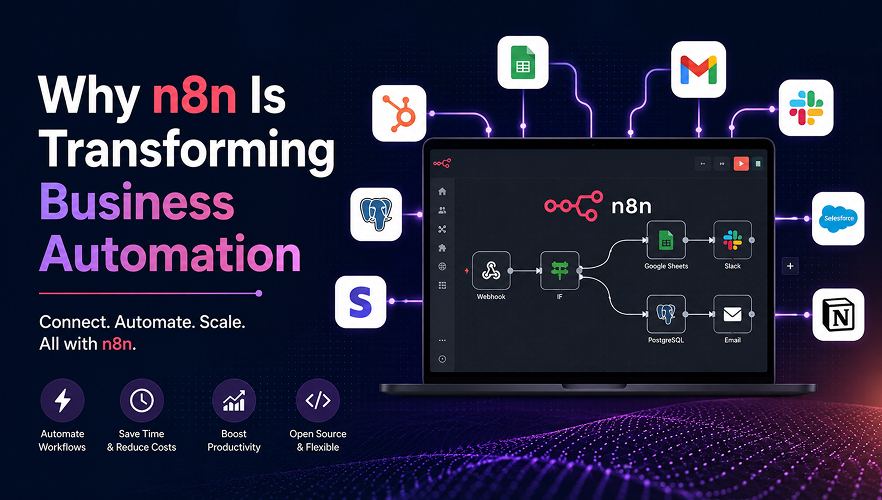
n8n is an open-source workflow automation platform that connects your applications and automates repetitive processes through visual workflows. Instead of manually copying data between systems, n8n handles these tasks automatically, allowing your team to focus on work that creates real business value.
Why Businesses Choose n8n
Automation is no longer a luxury it's becoming essential for businesses that want to scale efficiently. n8n provides a flexible, low-code solution that works with both modern SaaS platforms and custom internal systems.
- Save Time: Eliminate repetitive manual tasks.
- Reduce Errors: Automate data transfer with greater accuracy.
- Connect Everything: Integrate 500+ applications, APIs, and databases.
- Custom Workflows: Build automation that matches your business processes.
- Cost Effective: Open-source with self-hosting options to reduce ongoing costs.
- Scalable: Add new workflows as your business grows.
How n8n Works
Every n8n workflow follows a simple process:
Trigger → Process → Action
- The customer submits a form on your website.
- n8n captures the information instantly.
- The lead is saved to your CRM.
- A welcome email is sent automatically.
- Your sales team receives a notification.
- A follow-up task is created in your project management software.
Common Business Use Cases
Sales
· Capture leads
· Update CRM records
· Assign leads
· Schedule follow-ups
Marketing
· Email campaigns
· Newsletter scheduling
· Social media publishing
· Lead nurturing
Customer Support
· Create tickets
· Route enquiries
· Automated replies
· Collect feedback
Finance & Operations
· Invoice approvals
· Inventory updates
· Reporting
· Database synchronisation
AI Automation
· Content generation
· Document summarisation
· AI assistants
· Data extraction
Manual Process vs n8n Automation
1. Task -> Manual ->With n8n
2. Copy customer data -> Manual -> Automatic ->
3. Send confirmation email -> Manual -> InstantUpdate
4. CRM -> Manual -> Automatic
5. Notify team -> Manual -> Automatic
6. Generate reports -> Time-consuming -> Scheduled
Best Practices
· Start with simple workflows.
· Add error handling.
· Store credentials securely.
· Reuse workflow components.
· Test before deployment.
· Monitor execution logs.
Conclusion
n8n helps businesses automate repetitive work, integrate their tools, reduce errors, and improve productivity. Whether you're a startup or an enterprise, n8n provides a scalable automation platform that grows with your business.

Connect with our experts to discuss your ideas and discover the right solutions tailored to your business needs.
Join our newsletter
.svg)
.svg)